Budget like a pro with Pots
Whether you're budgeting for bills, or supporting a vintage vinyl obsession, use Pots to organise your money however you like.

UK residents only. Ts&Cs apply.
The App Store, Google Play Store and Trustpilot ratings are correct as of 10 August 2026.
Master your money
Organise your money your way, with flexible Pots to fit your life.
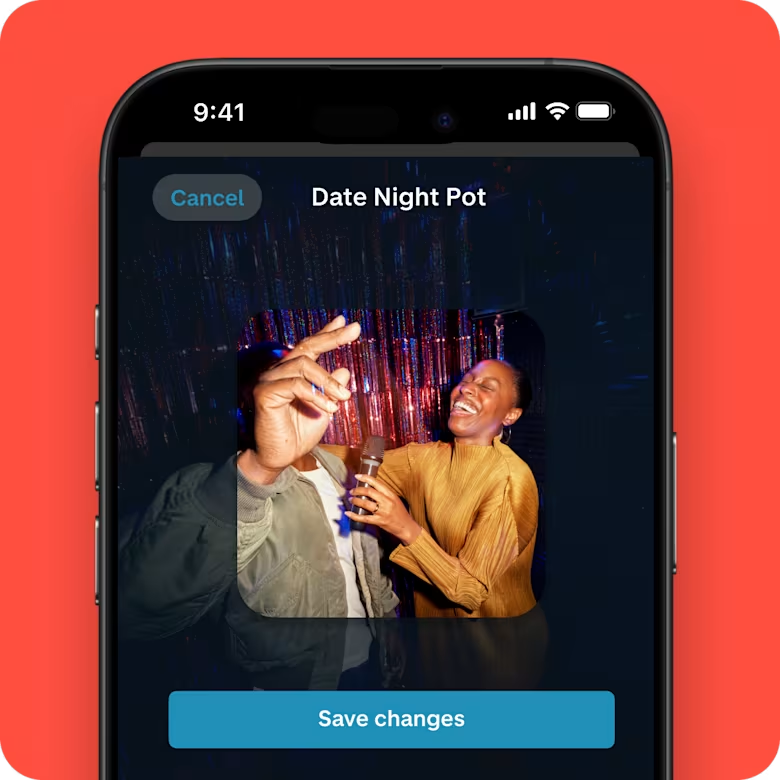
Give your Pots some personality
Name them whatever you like, and add images to help you visualise what they’re for.
A photo of your dream destination? The perfect motivation to fill up that holiday Pot.
Separate your spending
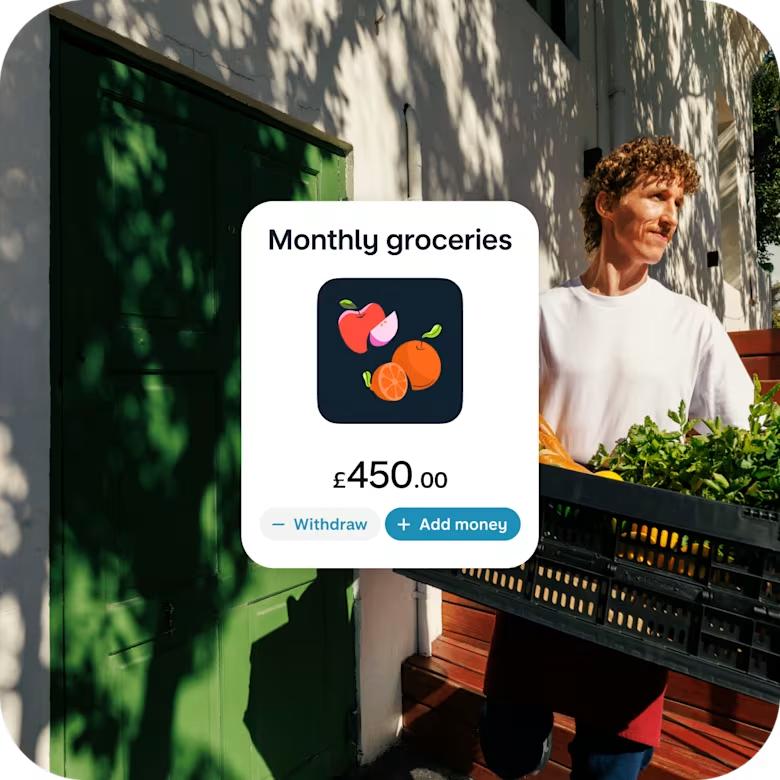
Want to manage your monthly grocery spend? Or separate your treat fund from your dog's?
Pots makes budgeting a breeze, and you can create up to 20 to keep your money in order.
Banish bill admin
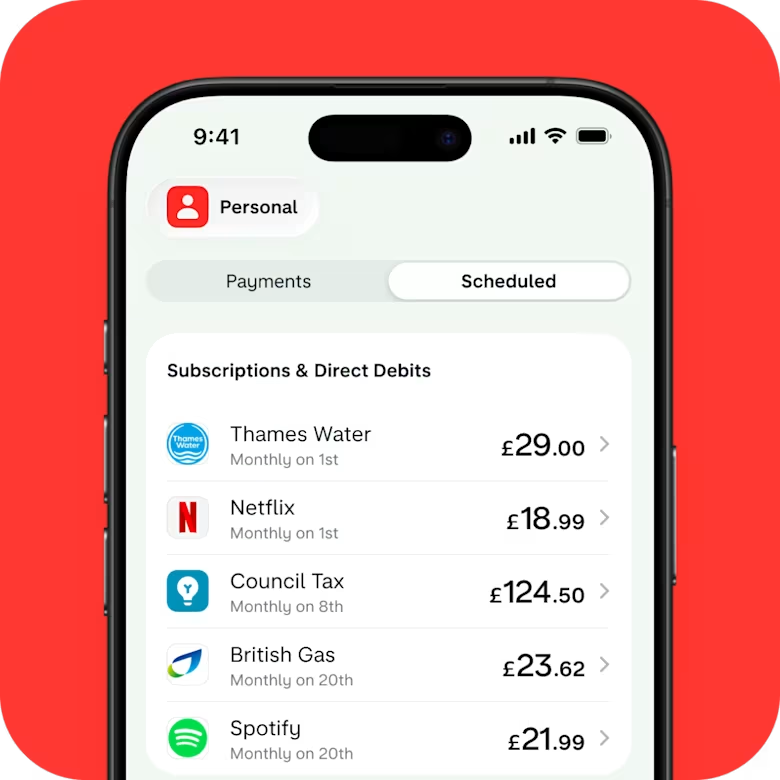
You don’t enjoy paying bills, but we enjoy making it easier.
Set up Direct Debits and standing orders to come directly from a Pot. (Leaving more time to brag about how organised you are.)
Hide or lock Pots to stay on track
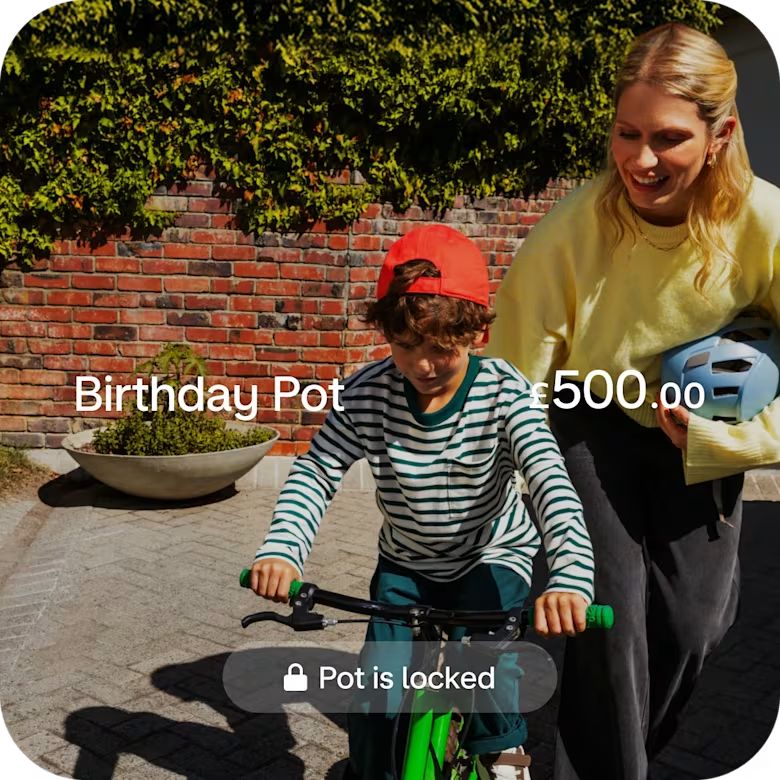
It’s tempting to dip into your money when it’s in plain sight. Hide Pots from your feed or lock them so you’re not tempted to dip in.
Forecast future bills
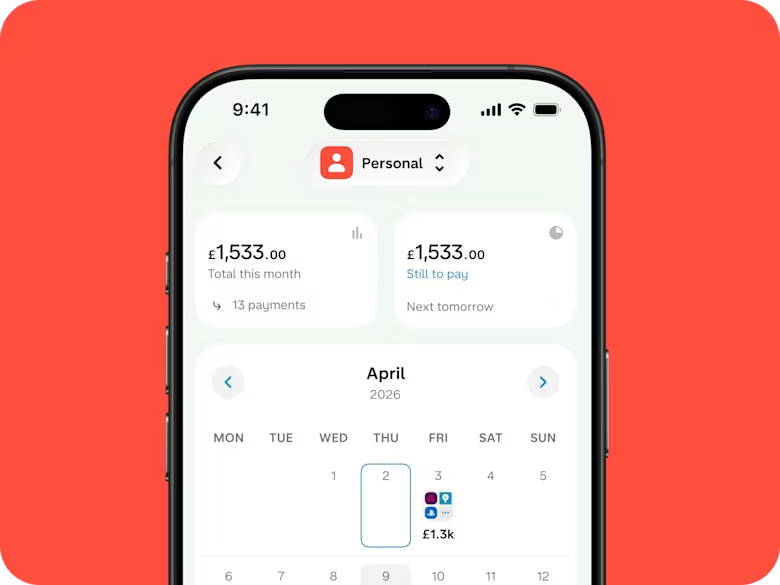
Know what’s around the corner with our bills calendar. Mark payments as repeating and we’ll predict future ones in your calendar. It’s a bit like looking into a crystal ball.
Then set money aside for bills and pay them directly from dedicated Pots.
24/7 support
You can speak to us through our in-app chat – whenever, wherever. We're here for you 24/7.
Deposit cash and cheques
Add cash to your account at any PayPoint or Post Office (£1 per deposit), and pay in cheques via the app.
No hidden fees
Our current accounts are free and we don’t charge monthly fees or surprise you with hidden costs.
FSCS protected
Your eligible money in Monzo is protected by the FSCS up to £120,000 per person.
A regulated bank with 24/7 support
24/7 support
You can speak to us through our in-app chat – whenever, wherever. We're here for you 24/7.
Deposit cash and cheques
Add cash to your account at any PayPoint or Post Office (£1 per deposit), and pay in cheques via the app.
No hidden fees
Our current accounts are free and we don’t charge monthly fees or surprise you with hidden costs.
FSCS protected
Your eligible money in Monzo is protected by the FSCS up to £120,000 per person.
Apply for an account in 10 minutes
Join over 16 million personal and business customers who've changed the way they bank.
Step 1
Open a free Monzo account
It takes just 10 minutes to apply, and comes with innovative features to help you manage your money.
Step 2
Fill out a few questions
We'll ask you some questions to help us set up your account, but there's no lengthy paperwork to fill in. In fact, it only takes a few minutes.
Step 3
Add your Hot Coral card to your digital wallet
Once your account's open, you can start using your card straight away with your digital wallet.
Questions? Answers.
What’s a Pot?
Pots are separate spaces inside your Monzo account where you can set aside money for specific things. Think of them like digital piggy banks. You might create a Pot for your weekly food shop, one for holidays, and another for your monthly bills.
How many Pots can I have?
You can create up to 20 Pots across each of your personal and joint accounts.
What’s the difference between a Pot and a Savings Pot?
Regular Pots are digital spaces to squirrel money away for your everyday budgeting, like separating cash for bills, groceries, or your gym membership.
Savings Pots are built for bigger goals – like a holiday, a new bike, or your first home – and they earn you interest. Your exact interest rate depends on the type of Savings Pot you choose and whether you have a paid plan.
Do I need a paid Monzo plan to use Pots?
No, Pots come as part of our free current accounts, joint accounts, 16-17 accounts and Under 16s accounts.
There are some additional benefits unlocked when you’re an Extra, Perks or Max customer, like adding virtual cards to Pots so you can spend directly from them.
Plans start from £3 a month. UK residents only. Ts&Cs apply.
Can I pay direct debits from a Pot?
Absolutely, we call this a Bills Pot. Once set up, we’ll automatically move the exact payment amount from your Bills Pot into your main account just before the payment is taken.
Your main balance reflects this movement briefly, then the bill is paid. You can add payments by going to the Pot and tapping 'Edit scheduled payments'.
Why does my feed show two transactions when a bill pays from a Pot?
Because Pots are not separate bank accounts (they share your account number and sort code) we move money from the Pot into your main account to pay your bills. This creates two transfers.
Can I pay subscriptions like Netflix directly from a Pot?
Things like Netflix, Spotify and gym memberships use a method called card-based recurring payments. That means they work a little differently to direct debits. To pay these from a Pot you’ll need to link a virtual card, available with our Extra, Perks or Max plans.
Plans start from £3 a month. UK residents only. Ts&Cs apply.
Is the money in my Monzo Pots protected?
The money you put aside in Pots is still part of your current account balance, so any eligible deposits are protected by the FSCS up to £120,000 per person.
If you’ve got Pots with your joint account, half of the Pot balance counts towards your £120,000 allowance.
Time to go full Monzo

Use the Current Account Switch Service to close your main current account and move everything over to us. Once you’ve opened an account, tap the '+' sign in the app and find 'Switch to Monzo’.
We move your money, Direct Debits and standing orders over
We redirect incoming payments (including your salary)
We close your other bank account
You choose a switch date and we'll do the rest in 7 working days


It all starts with a Hot Coral card
Personal account
Our signature Hot Coral current account that fits your finances.
UK residents. Ts&Cs apply.
Joint account
A shared bank account that helps you manage joint costs.
You'll both need a Monzo current account. Aged 18+. UK residents. Ts&Cs apply.
Under 16s account
A free account for kids that keeps up as they grow up. Set spending limits and see what they're up to with instant notifications.
Ages 6-15. 18+ parent/guardian account needed first. UK residents. Ts&Cs apply.
Extra
£3 a month
Unlock more money tools, see your other banks and credit cards in Monzo, and create custom spending categories.
Age 18+. UK residents. Ts&Cs apply.
Perks
£9 a month
Enjoy the best of Monzo with a boosted savings rate and added benefits like an annual Railcard and weekly Greggs treat.
Age 18+. UK residents. Ts&Cs apply.
Max
From £19 a month
Protect the things that matter with worldwide travel and phone insurance, UK & Europe breakdown cover, and more.
Ages 18-69. 3-month minimum term. UK residents. Ts&Cs apply.
Flex credit card
A credit card with Monzo magic, Section 75 protection and a representative 29% APR (variable).
18+. UK residents. Eligibility criteria & Ts&Cs apply. Missed payments may negatively impact credit scores.
Business account
An account packed with everything you need to make life easier for you and your customers.
Only sole traders or limited company directors in the UK can apply. Ts&Cs apply.