
A regulated bank that lives on your phone
Which means 24/7 support, FSCS protection, and no complicated paperwork.
International payments
From London to Lagos, Manila to Madrid, send 40+ currencies globally in just a few taps.

UK residents only. Ts&Cs & limits apply.
The App Store, Google Play Store and Trustpilot ratings are correct as of 27 Apr, 2026.
View the full list of currencies you can send via the Monzo app.
Over 70% of our international bank transfers arrive in seconds. Ahead of sending your money, you’ll also get a personalised estimate on when your money should land.

When you’re preparing to move money in the app, we’ll show you exactly how much it’ll cost upfront (the exchange rate plus any fees) before you tap ‘send’. See an overview of our fees here.

Select your currency
Enter the amount and see your rate
Select your payee
Confirm and send
It’s as simple as that.

Send money home to support your loved ones from anywhere in the world.
Simplify your global finances. Whether you’re an international student or living between countries.
Pay in your chosen currency. Going away? Pay upfront and transfer money in the local currency.
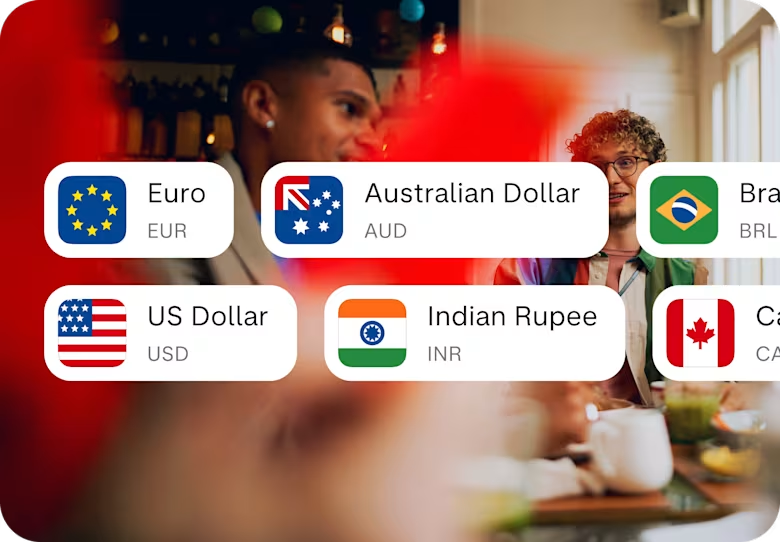
We convert payments in accepted currencies to GBP before the money appears in your account and charge a 1% conversion fee, with a fee cap of £1,000 per transaction.
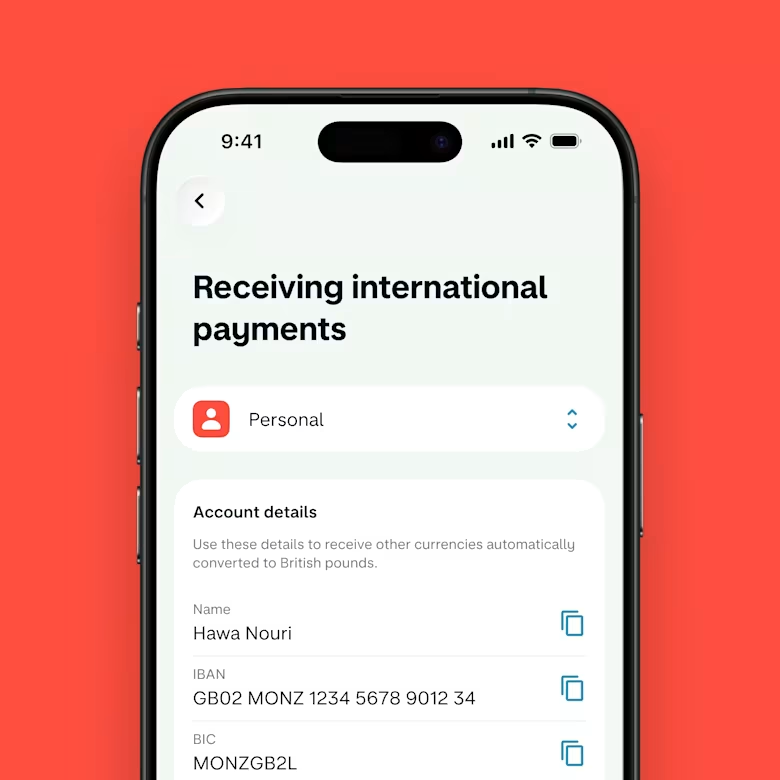
All you need to do is share your IBAN (International Bank Account Number) with whoever’s paying you. Your IBAN is in the Monzo app next to your other account details, like your sort code and account number.
Step 1
Open a free Monzo account
You’ll need a free Monzo current account to send money abroad. It only takes a few minutes to join, and comes with loads of innovative features to help you spend and save. Join Monzo today.
Step 2
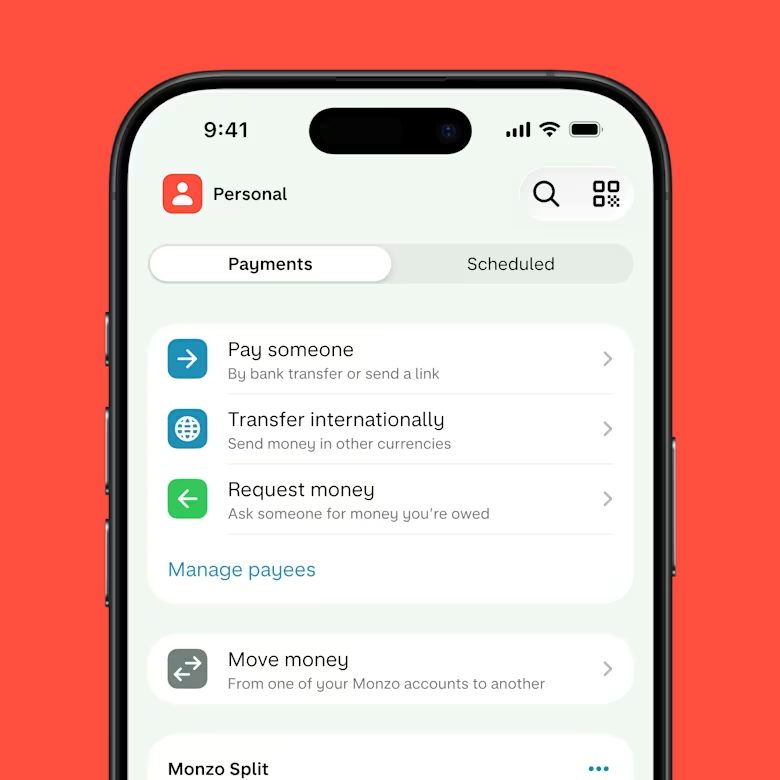
Head to payments in the app
Toggle to ‘payments’ at the bottom of your home screen. There you’ll see ‘Transfer internationally’.
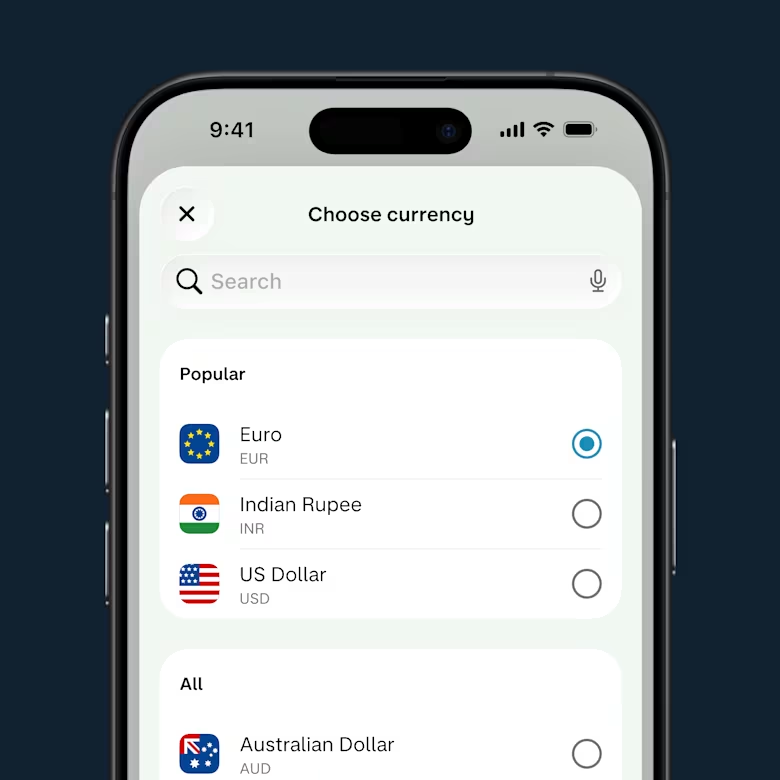
Step 3
Choose your currency
Pick from 40+ currencies to see your conversion rates and any up-front fees.
Which means 24/7 support, FSCS protection, and no complicated paperwork.
24/7 support
You can speak to us through our in-app chat – whenever, wherever. We're here for you 24/7.

Deposit cash and cheques
Add cash to your account at any PayPoint or Post Office (£1 per deposit), and pay in cheques via the app.
No hidden fees
Our current accounts are free and we don’t charge monthly fees or surprise you with hidden costs.
FSCS protected
Your eligible money in Monzo is protected by the FSCS up to £120,000 per person.
Which means 24/7 support, FSCS protection, and no complicated paperwork.
24/7 support
You can speak to us through our in-app chat – whenever, wherever. We're here for you 24/7.
Deposit cash and cheques
Add cash to your account at any PayPoint or Post Office (£1 per deposit), and pay in cheques via the app.
No hidden fees
Our current accounts are free and we don’t charge monthly fees or surprise you with hidden costs.
FSCS protected
Your eligible money in Monzo is protected by the FSCS up to £120,000 per person.
See how else we can help with the big life steps and safety nets.
It depends on how much you’re sending and which currency you’re converting to. You can check out the full list of currencies we support here.
When you get ready to send money in the app, we’ll show you the exact cost upfront (the exchange rate plus any fees) before you hit ‘send’. No surprises, no hidden charges.
For most currencies, we charge a small percentage of the amount you’re sending, up to 1.8%. You can see an overview of all our fees here.
Yes, there are limits on how much you can send abroad. This helps keep your account secure and makes sure we meet regulatory rules.
You can find out more about Monzo's payment limits by picking the currency you want to send from our list of supported currencies.
If you need to send more than your limit, just get in touch with us through the app. We might be able to raise your limit depending on your situation.
Yes, you can track your international payment in the app once you’ve sent money abroad. We’ll show you the transfer status and give you an estimated arrival time. You can learn more about your payment status here.
If you have any questions or want an update, just get in touch with us through the app.
The details you need to send money abroad depend on where you’re sending it to. You can check out the full list of supported currencies here.
The app will show you all the details you need before you hit ‘send’.
Getting these details right is really important. If something’s wrong, your transfer could be delayed or sent back — and you might get charged for it. So, double check everything before you press send.
Over 70% of Monzo’s international transfers arrive in seconds, but timing can vary depending on where you’re sending money and which currency you’re using. You can check the full list of supported currencies here.
Transfers to countries using the SWIFT network can take up to 3 to 5 working days.
We’ll give you an estimated arrival time when you set up the transfer, and you can track it in the app. You can learn more about your international payment status here.
Use the Current Account Switch Service to close your main current account and move everything over to us. Once you’ve opened an account, tap the '+' sign in the app and find 'Switch to Monzo’.
We move your money, Direct Debits and standing orders over
We redirect incoming payments (including your salary)
We close your other bank account
You choose a switch date and we'll do the rest in 7 working days