Last week we wrote about Monzo Time, where engineers spend time working on passion projects that we might not otherwise prioritise as a company.
Today, we’re announcing another new feature in the iOS app that came out of Monzo Time: custom app icons!
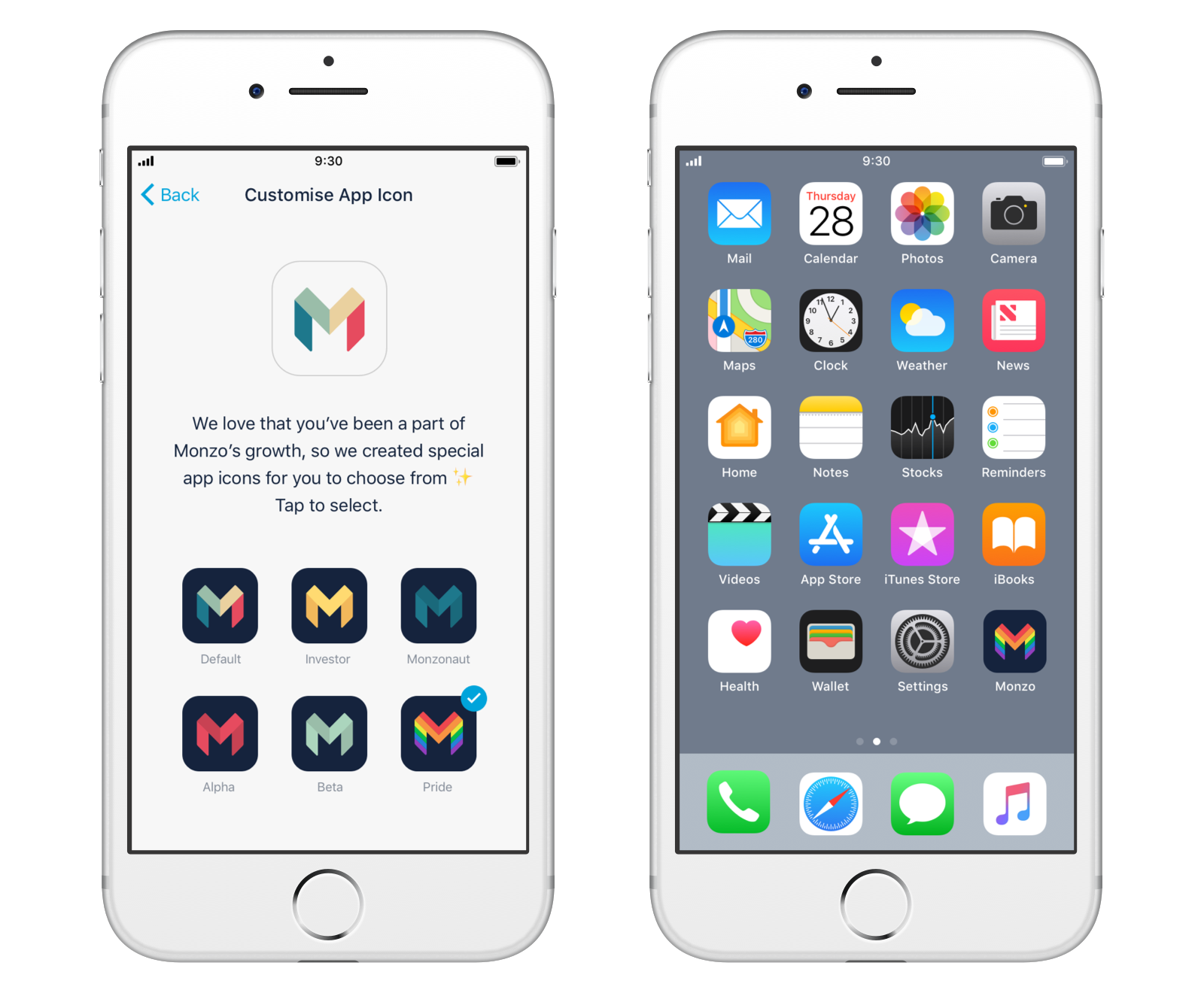
iOS 10.3 gave us the ability to let users change the icons of their apps, so now you can personalise your Monzo experience!
We have 5 new icons to choose from, although you won’t necessarily see them all — the Alpha, Beta and Investor icons are only available to people who fall within those categories. And in honour of Pride in London this weekend, we have the new Pride icon available to everyone 🏳️🌈
This isn’t as easy on Android at the moment (although our Android team are trying out a few tricks to see if they can make it work), but we’ll keep you updated on that.
To set your own icon, make sure you’ve updated to the latest Monzo release from the App Store and then head to Settings > Custom app icon to set your own. We’d love to hear which icon you chose in this community forum thread!