We’re unlikely to start bombarding you with paper in the post, but we know that bank statements can be useful. So we’ve added the ability to create them yourself, in a few taps from within the app.
They'll be rolling out on iOS from today, and will start coming to Android at the end of next week. We’re rolling them out gradually, so please don't be alarmed if you can't find them right away!
To create a bank statement, just go into the Spending tab and tap the icon in the top right corner of your app. From there you’ll be able to create one yourself.
You can choose to create a bank statement for any calendar month, as well as for your entire account history. Then download your statement as a PDF, print it out or send it to yourself.
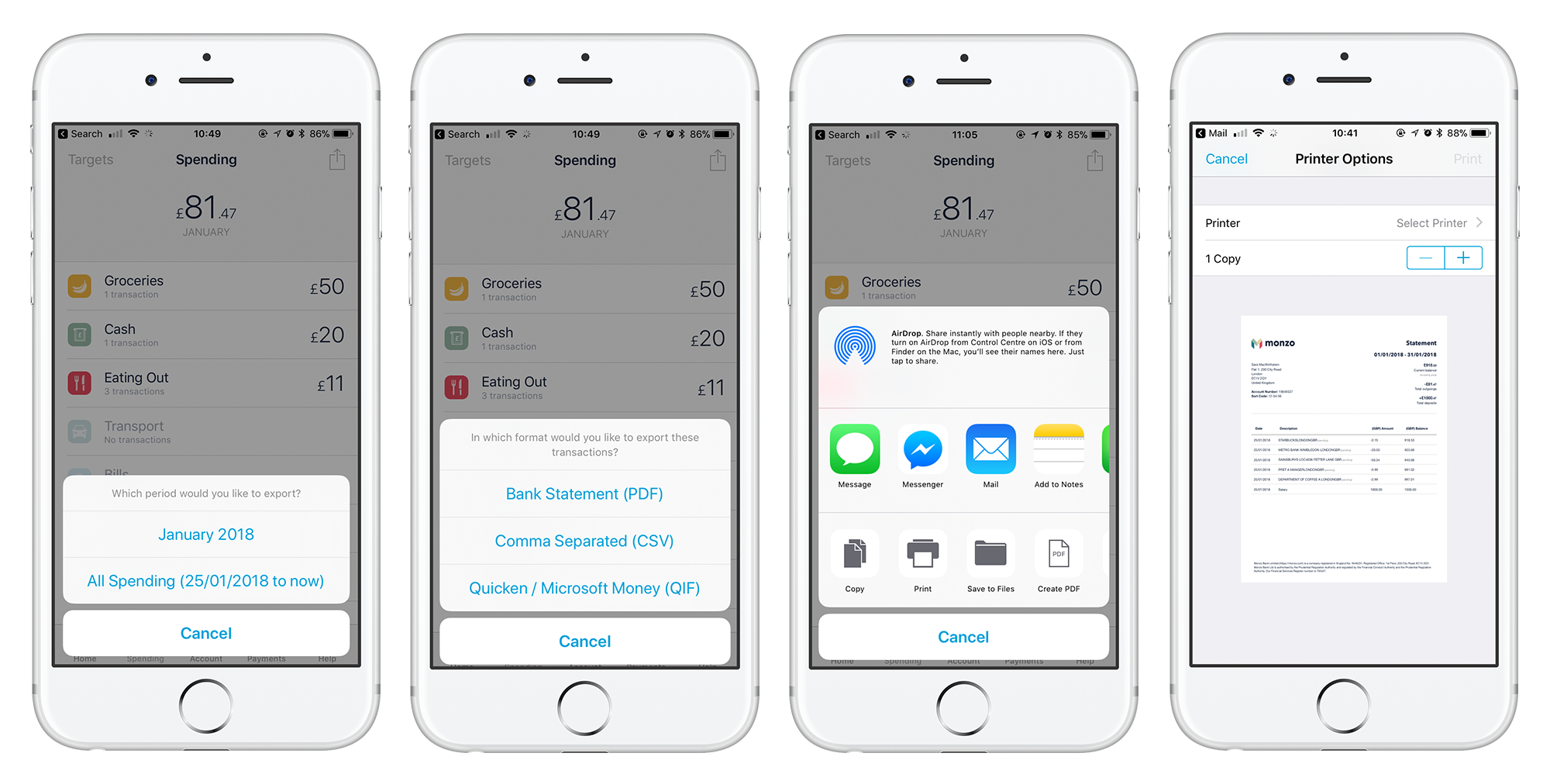
We want to bring you old school bank statements the Monzo way, and make this feature as useful as it can be. If you have any suggestions for how we can improve, please let us know!
We’ve added the ability to create bank statements after listening to feedback from our community. Join the discussion to share more of your suggestions and any bright ideas 💡